Transcribe AI

Turn any recording into text

Private, offline transcription on iPhone and iPad, in 99+ languages.
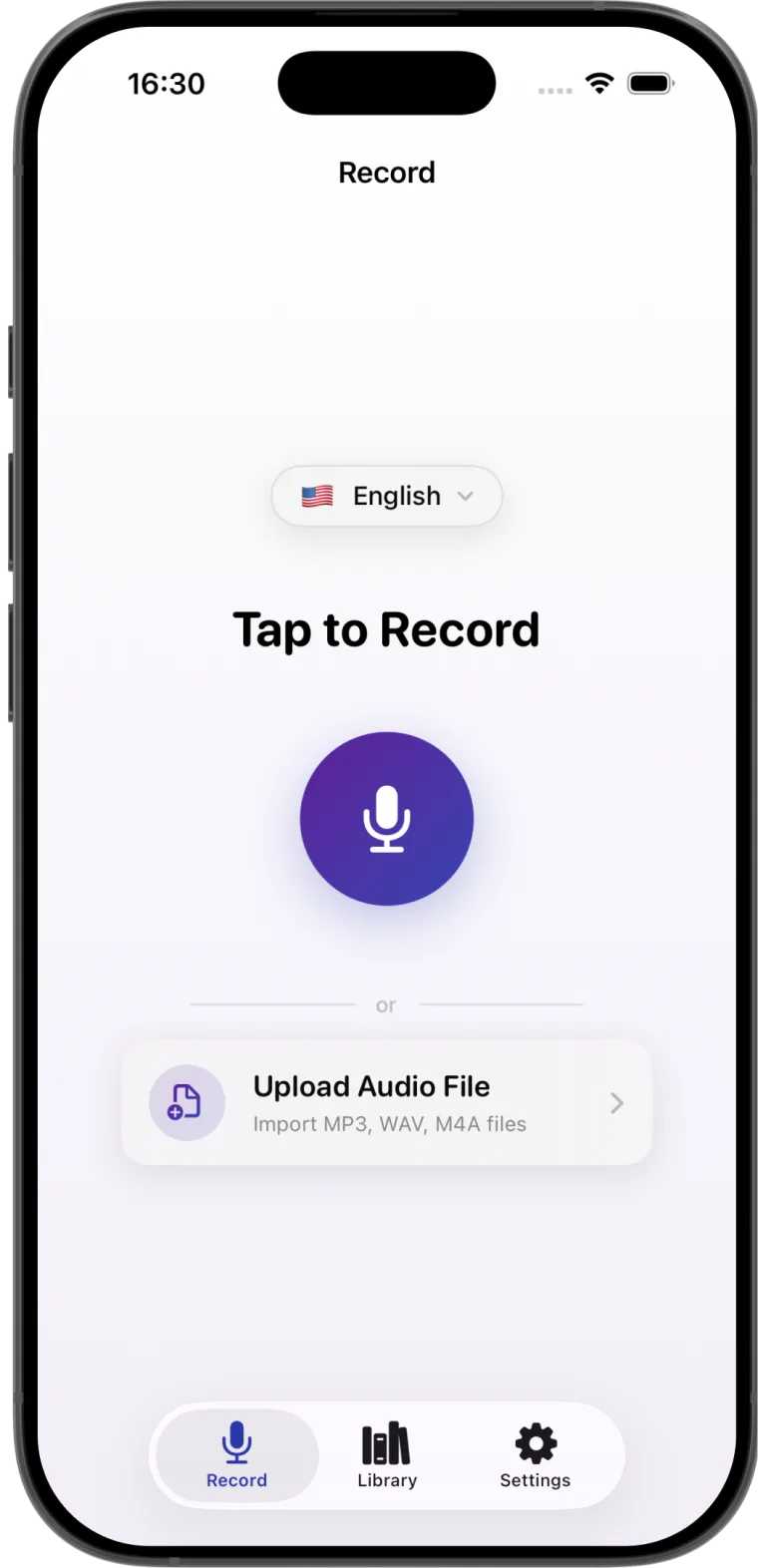
Transcribe AI on iPhone: the record screen with English selected, the microphone button and Upload Audio File

Everything stays on your iPhone

No account, no internet and no uploads. Just open it and record.

Works on
iPhone and iPad with iOS 26 or later
Internet
Not needed. It even works in airplane mode.
Account
None. No sign-up, no sign-in.
Audio
Record in the app, or import MP3, WAV and M4A files
Languages
99+, from English and Spanish to Arabic and Japanese
  1. Choose from 99+ languages

    Pick the language you are recording in, and the transcript comes out in the right words and the right script.

    See all languages

    • English, Hawaiian
    • Basque, Catalan, Galician, Spanish
    • Breton, French, Occitan
    • German
    • Italian
    • Japanese
    • Chinese, Tibetan
    • Korean
    • Arabic
    • Assamese, Gujarati, Hindi, Kannada, Malayalam, Marathi, Punjabi, Sanskrit, Tamil, Telugu
    • Bashkir, Russian, Tatar
    • Turkish
    • Dutch
    • Swedish
    • Polish
    • Ukrainian
    • Greek
    • Persian
    • Sindhi, Urdu
    • Indonesian, Javanese, Sundanese
    • Vietnamese
    • Thai
    • Afrikaans
    • Albanian
    • Amharic
    • Armenian
    • Azerbaijani
    • Belarusian
    • Bengali
    • Bosnian
    • Bulgarian
    • Cantonese
    • Croatian
    • Czech
    • Danish
    • Estonian
    • Faroese
    • Finnish
    • Georgian
    • Haitian Creole
    • Hausa, Yoruba
    • Hungarian
    • Icelandic
    • Kazakh
    • Khmer
    • Lao
    • Latin
    • Latvian
    • Lingala
    • Lithuanian
    • Luxembourgish
    • Macedonian
    • Malagasy
    • Malay
    • Maltese
    • Maori
    • Mongolian
    • Myanmar
    • Nepali
    • Norwegian, Nynorsk
    • Pashto
    • Portuguese
    • Romanian
    • Serbian
    • Shona
    • Sinhala
    • Slovak
    • Slovenian
    • Somali
    • Swahili
    • Tagalog
    • Uzbek
  2. Record or import your audio

    Tap once to record a meeting, lecture or voice note. Or import audio files, several at once, as separate transcripts or one merged document.
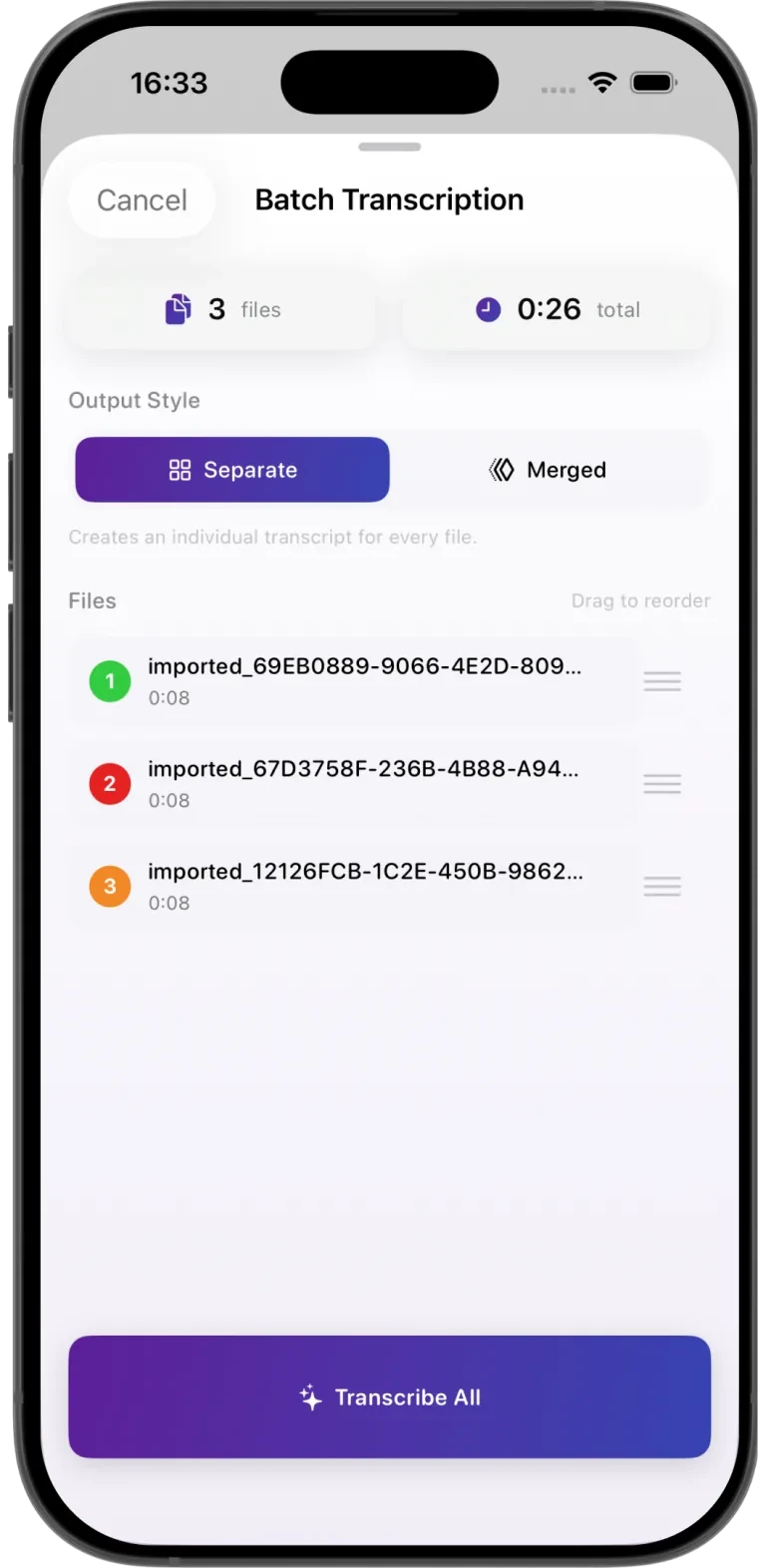
    How to transcribe audio on iPhone

    Batch transcription in Transcribe AI: three files, 26 seconds in total, separate or merged output
  3. Transcribe without the internet

    Powered by an offline AI model that runs right on your iPhone. Your audio never leaves the device.

    AI model
    Offline, on your iPhone
    Internet
    Not needed
    Uploads
    None
    Account
    None
  4. Edit, organize and share

    Listen back at up to 2x speed to fix any word, sort transcripts into folders, then share them anywhere.

    • Copy
    • Share
    • TXT

    • PDF
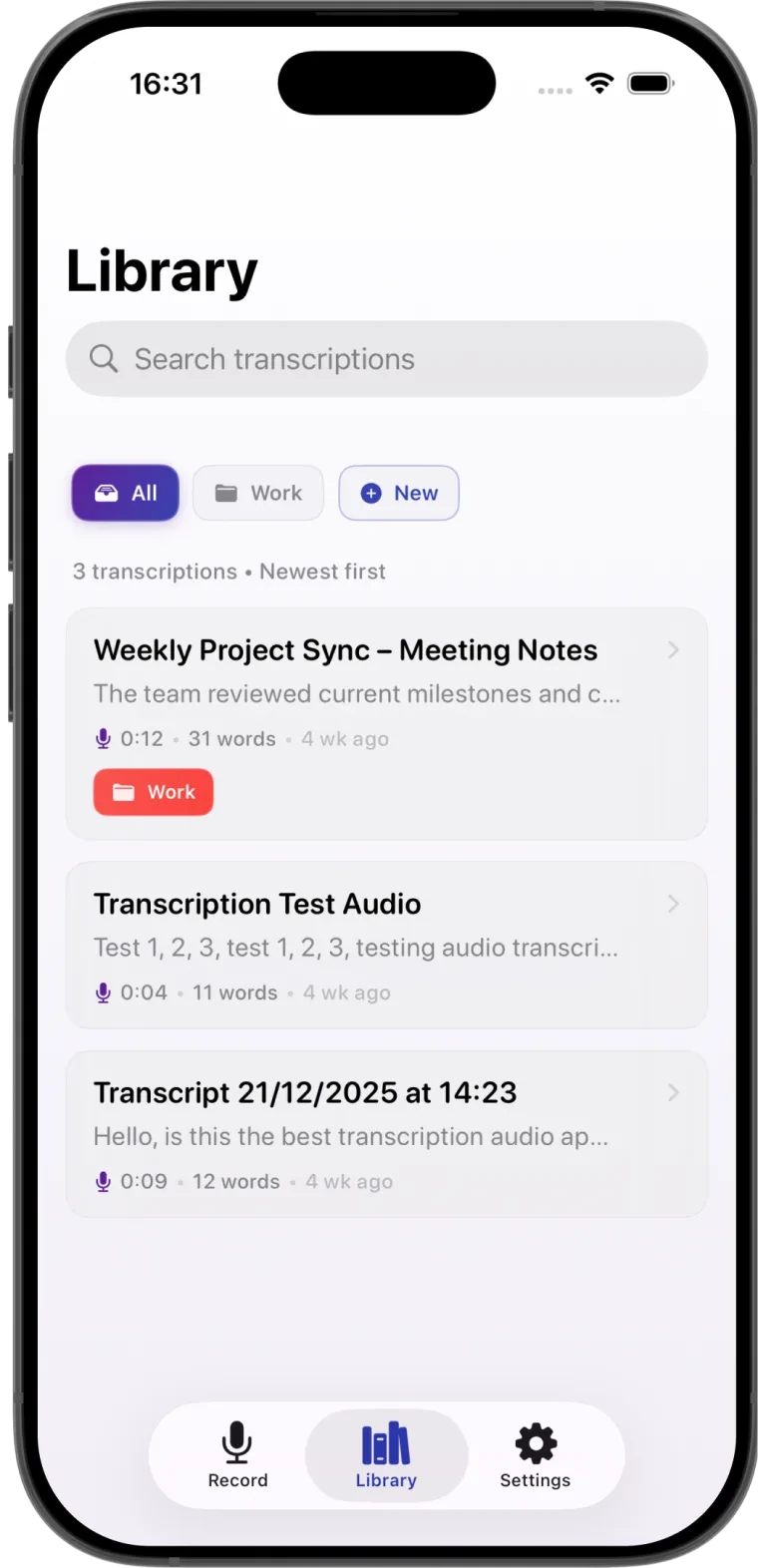
    The Transcribe AI library with search, a Work folder and three saved transcripts

12 seconds of audio. 31 words of text.

Weekly project sync0:12

The team reviewed current milestones and confirmed that all deliverables remain on schedule. Action items were assigned to address minor blockers, with updates to be shared in the next check-in.

4.33App Store rating

2,000+users

99+languages
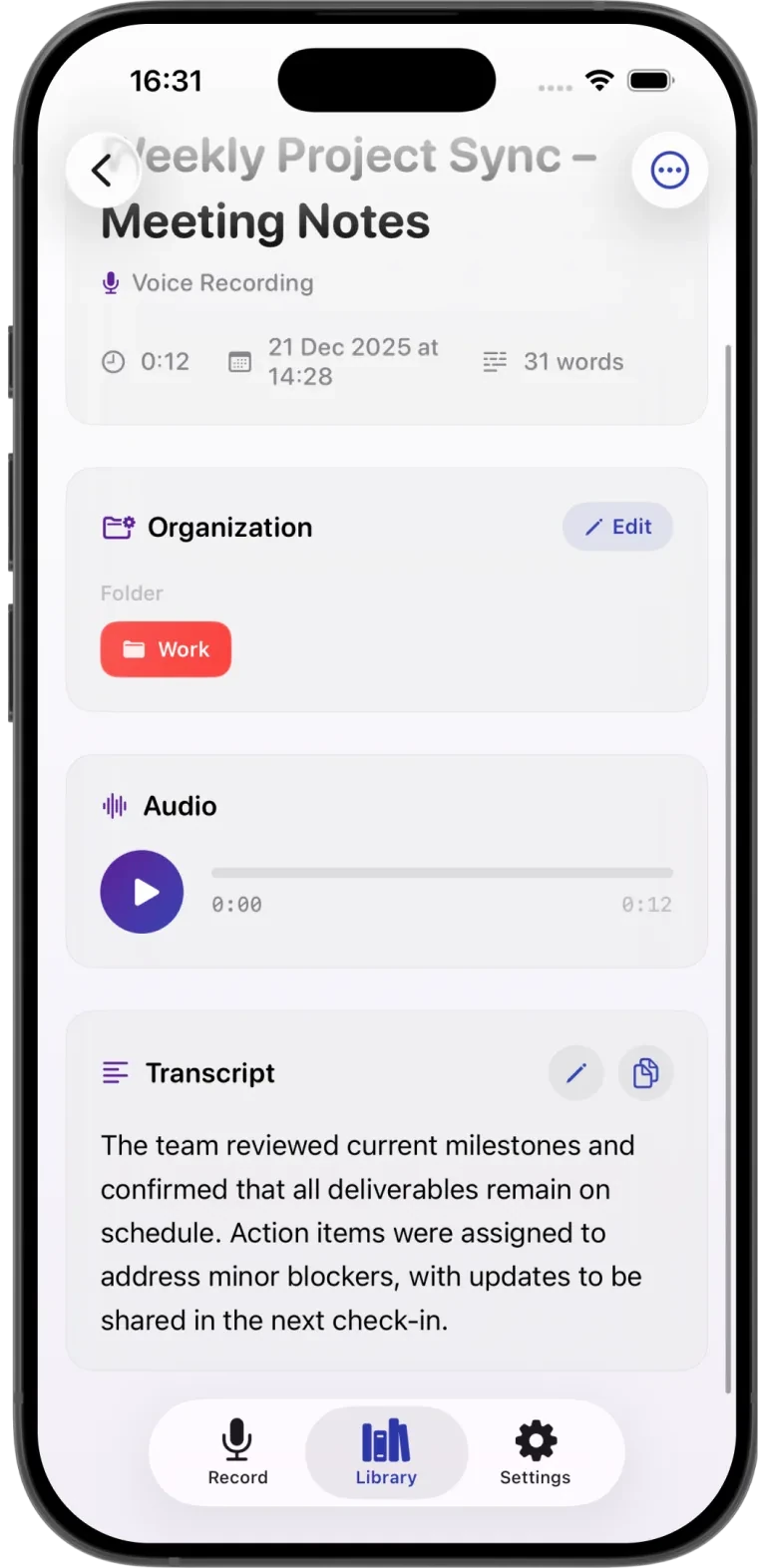
A meeting recording transcribed in Transcribe AI, with its audio player and editable text

Start transcribing today

Download Transcribe AI and turn your first recording into text in minutes.

Download on the App Store

4.33 on the App Store, 2,000+ users